


Bitcoin Private Key Security: The Beginner’s Guide to Avoiding Costly Mistakes
Why Private Key Security is Your #1 Priority as a Bitcoin Beginner
Let’s start with a simple, scary fact.
If you lose the password to your email, you can click "forgot password." If you lose your house key, you can call a locksmith. But if you lose the private key to your Bitcoin, it is gone forever. No customer service, no reset button, no recovery. That’s it.
This is the single most important thing to understand when you begin. Everything else, from choosing a wallet to making a trade, depends on you grasping this.
Think of your Bitcoin private key as the ultimate proof of ownership. It is a unique, secret code, a string of letters and numbers that mathematically proves you own the Bitcoin at a specific address. As experts note, this private key is the cryptographic proof that you own your bitcoin. Without this key, you cannot access, move, or spend your funds. It’s like having a bank account number (your public address) that anyone can send money to, but only you hold the one and only key (your private key) to open the vault.
Here is what happens if you get private key security wrong:
- Permanent Loss: If your private key is deleted, lost in a hard drive crash, or written down on a piece of paper that gets thrown out, the Bitcoin it controls is lost to the network forever. The private key is the proof of ownership, and without it, the funds are effectively unusable.
- Irreversible Theft: If someone else discovers or steals your private key, they can transfer all your Bitcoin to their own address instantly. Because transactions on the Bitcoin network are final, there is no way to reverse this. As one guide explains, you need the private key to "unlock" funds and prove you are the owner.
So why do so many beginners mess this up? The reason is often the wall of technical jargon. Words like cryptography, PKCS10, or GPG key sharing can make your eyes glaze over. It feels complex, so it’s tempting to just skip the details and hope for the best. This is how people end up making costly mistakes with their first wallet.
But here’s the good news: you don’t need to be a tech expert. You just need to understand the importance of that key and learn the simple, safe habits for protecting it. That’s the foundation of everything.
This journey can feel overwhelming, but you don’t have to figure it out alone. For clear, step-by-step guidance that cuts through the confusion, I recommend subscribing to the free Clicks and Trades newsletter. It delivers practical crypto education and safety tips directly to your inbox.
Ready to take the first step towards securing your Bitcoin the right way? Sign up for the free newsletter here and build your knowledge with confidence.
What is a Private Key and Why is it Crucial?
So, what exactly is this private key everyone keeps telling you to guard with your life? Let’s strip away the tech talk.
In the simplest terms, a private key is your secret password to your Bitcoin. It is a long, unique string of letters and numbers. Think of it like the most important password you will ever own, one that allows you to access and manage your crypto funds.
But it’s more than just a password. It’s also your digital signature and the only physical key to a safe.
Here are a few simple ways to picture it:
- Your Signature: A private key cryptographically "signs" transactions to prove they came from you, just like your handwritten signature on a check.
- A Safe’s Key: Imagine a safe (your Bitcoin wallet) with a address on the front (your public key) where anyone can drop money in. The private key is the one and only key that can unlock that safe to take money out. As experts note, you need the private key to "unlock" funds and prove you are the owner.
- Proof of Ownership: At its core, the private key is the proof of ownership of your crypto assets. Holding it is the mathematical proof that the Bitcoin belongs to you.
This system works with a pair: your public key and your private key. Your public key is like your email address or bank account number. You can share it with anyone so they can send you Bitcoin. Your private key must always stay secret. It is the other half of the pair that mathematically proves you control the funds sent to your public address.
What Happens if a Private Key is Compromised?
Understanding what a private key is shows you why protecting it is non-negotiable. The real-world consequences are instant and severe.
- Complete and Irreversible Loss: If you lose your private key by deleting the file, losing the paper you wrote it on, or forgetting a password, your Bitcoin is gone forever. There is no "Forgot Password?" link. The network has no way of knowing you were ever the owner without that key.
- Total Theft: If someone else gets your private key, they now control your Bitcoin. They can transfer every last bit of it to their own address in seconds. Because Bitcoin transactions are final and cannot be reversed, the theft is permanent the moment it’s confirmed.
This is true whether we’re talking about a Bitcoin private key, a FreeIPA private key for system access, a CyberArk private key for securing privileged accounts, or any other type. The principle is the same: the key is absolute control.
For beginners, this is where many costly mistakes with their first wallet happen. The jargon around PKCS10 private keys or GPG share private key processes can be intimidating. But the core idea remains simple: guard your secret key.
The journey to understanding doesn’t have to be confusing. For clear, step-by-step guidance that turns complexity into confidence, I recommend joining the free Clicks and Trades newsletter. It delivers practical crypto safety tips directly to you.
Ready to move forward with clarity? Sign up for the free newsletter here and build your knowledge the safe way.
Common Myths and Misconceptions About Private Key Security
The world of private keys can feel like a maze of scary stories. You might hear that they’re too complex, that your money is always at risk, or that only experts can handle them. Let’s clear the air and separate fact from fiction.
Myth 1: Private Keys Are Too Complex for Beginners
This is a big one. People see terms like FreeIPA private key, PKCS10 private key, or GPG share private key and instantly feel lost. The truth is, modern tools have made managing them much simpler. You don’t need to be a cryptographer. A freeipa private key for system access or a Bitcoin private key both follow the same basic principle: keep it secret, keep it safe. The complexity is in the math, not in your daily use. As security guides point out, understanding self-custody is about mastering a few clear principles, not an impossible tech challenge.
Myth 2: If I Lose My Wallet Backup, My Crypto is Gone Forever
This fear is based on a misunderstanding of what a wallet actually is. Your crypto isn’t "in" your software wallet like coins in a physical purse. It’s on the blockchain. Your wallet is just a tool that holds your private keys, which are your access pass. Losing one backup is a problem, but it’s why you make multiple backups in different secure locations. This is true whether it’s a seed phrase for Bitcoin or a CyberArk private key for a business system. Proper planning prevents permanent loss. This is a key area where beginners can avoid costly mistakes with the right first steps.
Myth 3: Hackers Steal Private Keys All the Time
While theft happens, the narrative is often exaggerated. Most successful attacks don’t involve cracking the unbreakable cryptography of a private key. Instead, they exploit human error: phishing emails, malware, or using insecure exchanges. When you use a hardware wallet or a secure vault for a datagrip private key or acquia private key, you create a huge barrier. The security community consistently works to debunk common myths about privacy and security on networks, showing that informed users are much safer.
The bottom line? Private key security is about smart habits, not genius-level intelligence. It’s about using trusted tools, making reliable backups, and staying alert to simple scams.

Feeling more confident? Keep building your knowledge with clear, step-by-step guidance. I recommend joining the free Clicks and Trades newsletter for regular tips that make crypto safety simple.
Ready to turn confusion into confidence? Sign Up for the free newsletter and learn the safe way.
Types of Bitcoin Wallets and Their Security Implications
Now that we’ve cleared up some common fears, let’s talk about the tools you actually use to hold your private keys. Think of a Bitcoin wallet as a special keychain. It doesn’t store your money. It stores the private keys that unlock your Bitcoin on the blockchain, much like how a CyberArk private key unlocks access to a secure corporate system.
Choosing the right wallet is all about balancing security and convenience. Here’s a breakdown of the main types you’ll encounter in 2026.
1. Hardware Wallets (The Safe)
A hardware wallet is a small physical device, like a USB stick, that stores your private keys offline. This is called "cold storage."
- Security Level: Very High. Since the keys never touch your internet-connected computer, they are safe from most online hacking attempts. It’s the gold standard for protecting significant amounts, similar to how a bank vault protects gold.
- Trade-off: Less convenient. You need the physical device to approve a transaction. It’s a bit slower than clicking a button on your phone.
- Best for: Long-term holders and anyone with more Bitcoin than they’d carry as cash in their pocket. Experts emphasize that understanding self-custody with a device like this is key to true security.
2. Software Wallets (The Everyday Wallet)
This is an app on your phone or computer. Examples include Exodus, Trust Wallet, or the wallet built into some exchanges.
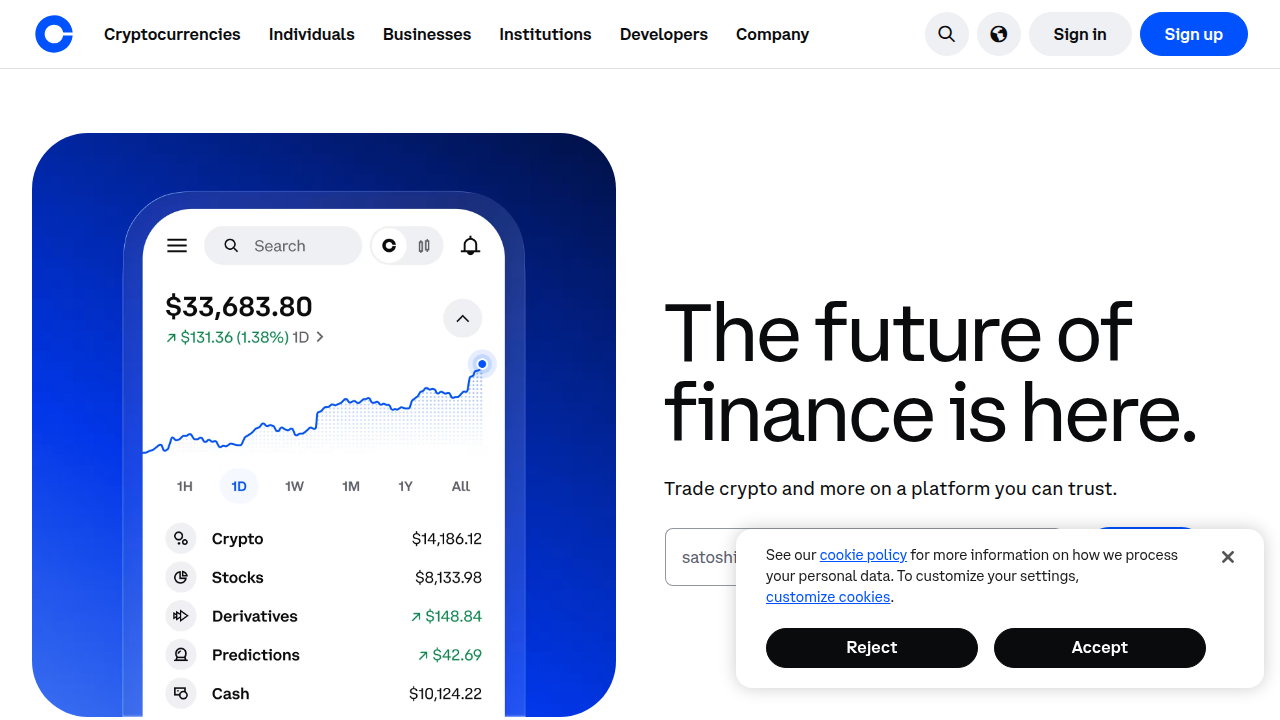
- Security Level: Moderate. It’s convenient for daily use, but because your device is online, it’s more exposed to viruses, malware, or phishing attacks. The security is only as good as your device’s health.
- Trade-off: High convenience, but higher risk than a hardware wallet. It’s like keeping your daily spending money in your pocket, not your whole life savings.
- Best for: Smaller amounts you plan to use or trade often. The principle is the same whether it’s a Bitcoin key or a Datagrip private key for your database; if the device is online, it needs strong protection.
3. Paper Wallets (The Secret Map)
A paper wallet is literally your private key and Bitcoin address printed on a piece of paper. It’s a form of cold storage.
- Security Level: Can be very high if created safely. No digital footprint means no hacking. However, paper can be lost, burned, damaged, or seen by someone else.
- Trade-off: Extremely secure from digital threats, but vulnerable to physical threats and human error. It also makes spending your Bitcoin a more complex process.
- Best for: Technically-minded users creating a long-term, offline backup. It’s less common for beginners in 2026 due to the rise of more user-friendly hardware wallets.
4. Custodial Wallets (The Bank Account)
This is when you leave your keys with someone else, like a cryptocurrency exchange (Coinbase, Binance). You have an account, and they manage the security.
- Security Level: Variable (You Trust a Third Party). You don’t control the private keys. Your security depends entirely on the company’s systems and practices. If they get hacked or shut down, your access can be at risk.
- Trade-off: Maximum convenience and easy recovery if you forget a password, but you give up control. It’s the opposite of self-custody.
- Best for: Absolute beginners making a first purchase or people who trade frequently. It’s a good starting point, but learning to move funds to a personal wallet is a crucial next step for beginners to avoid common pitfalls.
What Should a Beginner Choose?
Your choice depends on your "risk tolerance" and goals.
- Just starting, testing the waters? A reputable custodial exchange is fine for your first small purchase. It’s simple.
- Bought some Bitcoin and want to hold it securely? Move it to a hardware wallet. Think of it as moving money from your checking account (exchange) to your savings vault (hardware wallet).
- Want a little for easy spending? Use a trusted software wallet on your phone with a small balance.
The journey from confusion to confidence is a step-by-step process. Getting clear, regular guidance can make all the difference. I recommend joining the free Clicks and Trades newsletter for straightforward tips that help you navigate these choices safely.
Ready to take the next step in securing your crypto journey? Sign Up for the free newsletter today.
Step-by-Step Guide to Securely Managing Your Private Keys
Okay, so you’ve picked your wallet type. Great. Now, how do you actually manage those all-important private keys without getting lost or making a scary mistake? Don’t worry. It’s simpler than it sounds when you break it down.
Think of this as your personal checklist. Whether you’re handling a Bitcoin key, a Datagrip private key for work, or even a freeipa private key for system access, the core principles of good key hygiene are similar: keep it secret, keep it safe, and have a backup.
Here is your simple, four-step framework for 2026.
-
Choose and Create Securely. Your first step is getting your keys. Always get them from a trusted, official source. For a hardware wallet, this means buying new from the manufacturer. For a software wallet, download the app from the official website or app store. The wallet software will securely generate your private key (and its 12 or 24-word "seed phrase" backup) for you. Never use a key generator you find on a random website.
-
Back Up Immediately (The Golden Rule). This is non-negotiable. The moment your wallet creates your recovery seed phrase, write it down on paper. Store this paper in a very safe place, like a fireproof safe. According to a leading 2026 security guide, safely storing seed phrases is a critical element of crypto protection. Never store this phrase digitally—no photos, no text files, no cloud notes. This backup is your only lifeline if you lose your device.
-
Use with Caution. When you need to sign a transaction, be extra careful. Double-check the receiving address on your hardware wallet’s screen. Keep the software on your computer updated and use antivirus protection. Experts consistently recommend you verify addresses before sending and use strong, unique passwords for any wallet interface.
-
Practice and Plan. Start with a small test amount. Send a tiny bit of crypto to your new wallet and then practice restoring the wallet from your paper backup (on the same or a new device). This proves your backup works and builds huge confidence. Knowing how to restore is just as important as knowing how to create.
This process might feel new, but it’s the foundation of true self-custody. For more detailed walkthroughs on avoiding common first-timer errors, our guide on mistakes to avoid with your first wallet is a great next read.
The best way to build confidence is with clear, regular guidance. I get simple, actionable tips delivered to my inbox from the free Clicks and Trades newsletter. It breaks down these steps without the jargon, making the whole journey feel much smoother.
Ready to take control with confidence? Sign Up for the free newsletter and get your next steps laid out clearly.
Choosing the Right Wallet
You know the basics of managing keys. Now, which wallet do you actually put them in? This choice is your first big security decision. It is like choosing between a safe in your basement or a wallet in your back pocket. The right one depends on what you need to do.
Think about it like this. If you are managing a freeipa private key for server access, you need serious security. For day-to-day small purchases, you might want more convenience. The 2026 guide to crypto protection says choosing the right wallet is the first step in safeguarding your crypto.
Here are the main things to think about.
-
Security vs. Ease of Use. This is the biggest trade-off.
- A cold wallet (like a hardware wallet) keeps your keys offline. It is the most secure for holding larger amounts long-term. Think of it as your main vault. A 2026 security overview calls it the complete guide for secure crypto storage.
- A mobile or desktop hot wallet is connected to the internet. It is super easy for daily use but is more exposed to online threats. It is like the wallet in your pocket.
-
Cost. Good hardware wallets cost money. Many software wallets are free. Paying for a hardware wallet is an investment in security, not just a fee.
-
Support and Reputation. Only use wallets from well-known, trusted companies. Check their website, read independent reviews, and see how long they have been around. Avoid wallets promoted by random social media ads promising free crypto.
-
Practical Setup Tips. Start small.
- Buy a hardware wallet only from the official manufacturer’s website.
- For a software wallet, download it only from the official app store or website.
- Before moving significant funds, test everything. Send a tiny amount, receive it, and practice restoring from your backup.
- Always use the security features. As noted in a 2026 security checklist, you should enable biometrics, use strong PINs, and enable two-factor authentication wherever possible.
The goal is to match the wallet to your purpose. Use a heavy vault for your life savings. Use a convenient pocket wallet for coffee money. For a deeper look at how to spot trustworthy platforms, our safety-first checklist for judging a trading platform can help.
Getting clear, regular tips makes this whole process less confusing. I rely on the free Clicks and Trades newsletter for simple breakdowns of steps just like this. It turns a complex topic into a clear path.
Ready to find your perfect wallet match with confidence? The next step is easy. Sign Up for the free newsletter and get straightforward guidance delivered to you.
Creating and Backing Up Your Private Key
You have your wallet picked out. Great. Now comes the most critical part. Creating your private key and, even more importantly, backing it up so you never lose access. Think of it as getting the key to your new vault and then making a perfect copy you hide in a different, safe place.
If you lose this key, your digital assets are gone forever. This is true whether it’s a freeipa private key for server admin access or the key to your cryptocurrency. A professional framework for 2026 notes that proper key governance starts with secure creation and backup. Let’s walk through how to do it right.
1. Safe Methods for Generating a Private Key
Always let your trusted wallet software do the work. Never try to make up your own key.
- Use the Official Tool. Whether it’s a hardware wallet setup screen, a software wallet like MetaMask, or a dedicated tool for a cyberark private key, always use the official, verified application. Download it directly from the official source.
- It’s All About Randomness. Good wallets use extremely complex, random number generation to create your key. This is what makes it secure. You can’t do this better manually. As a 2026 security guide confirms, letting dedicated, trusted hardware generate your keys is a core security practice.
- Offline is Best. For maximum security when creating keys for high-value storage, use an offline method. A hardware wallet generates keys offline by design. For other types of keys, this might mean using an offline computer.
2. Your Seed Phrase is Your Master Key
This is the most important piece of paper you will ever own. When you set up a crypto wallet, it gives you a list of 12 to 24 random words. This is your seed phrase (or recovery phrase).
- What It Is: This single list of words can regenerate all the private keys in your wallet. Lose your device? No problem. Enter the seed phrase into a new compatible wallet, and you regain full access.
- How to Store It Securely:
- Write it down by hand on the backup card provided or on durable paper with a pen that won’t fade.
- Never store it digitally when first written down. No photos, no text files, no cloud notes, no email drafts. A 2026 guide emphasizes that safely storing seed phrases offline is a critical security element.
- Store it like a precious object. Use a fireproof and waterproof safe or a secure safety deposit box. Consider splitting the phrase and storing halves in two different secure locations.
3. Avoid These Common Backup Mistakes
A small mistake here can lead to total loss. Here’s what not to do.
- Mistake 1: Not Backing Up Immediately. The moment your wallet is created, back up the seed phrase. Do not transfer any assets until this is done and you have verified the backup works.
- Mistake 2: Using a Digital Copy. We said it before, but it’s worth repeating. A screenshot is a fast track to getting hacked. Keep it physical and offline.
- Mistake 3: Storing It All in One Place. If your house burns down and your seed phrase was only in a drawer, your crypto is gone. Use multiple secure locations.
- Mistake 4: Misplacing the Backup. It sounds silly, but it happens. Have a clear, secure system. Don’t just tuck it into a random book you might donate. For more on building safe habits, our safety-first checklist for judging a trading platform covers similar principles of caution and verification.
Take a deep breath. This might feel like a lot, but doing it right once sets you up for years of security. For clear, ongoing tips that break down steps just like this, I find the free Clicks and Trades newsletter incredibly helpful. It turns complex security into simple, actionable advice.
Ready to lock down your security with confidence? Get straightforward guidance delivered to you. Sign Up for the free newsletter today.
Daily Security Practices
You created your key and backed it up perfectly. That’s a huge win. But security is not a one-time event. It’s a daily habit. Think of it like brushing your teeth for your digital wealth. Small, consistent actions prevent big problems.
Here are the simple routines to keep your keys and assets safe every single day.
1. Make Routine Checks a Habit
A quick, regular look can catch issues before they become disasters.
- Verify Access. For any system, like one using a freeipa private key for admin access, briefly check that you can still log in normally. This ensures nothing has been silently locked or compromised.
- Review Activity Logs. Get in the habit of glancing at the transaction history or access logs for your wallets and accounts. Look for any activity you don’t recognize. A professional 2026 framework states that regular audit and verification are core parts of modern private key governance.
- Check Device Health. Ensure your computer or phone’s antivirus is active and updated. Don’t ignore software updates for your wallet apps or operating system; they often contain critical security fixes.
2. How to Spot and Avoid Phishing
Scammers try to trick you into giving up your keys or passwords. Stay sharp.
- Verify the Source. Always double-check email senders, website URLs, and social media messages. Legitimate companies will never ask for your seed phrase or private key. Ever.
- Don’t Click Blindly. Hover over links to see where they really go before clicking. If a message creates a sense of panic or urgency (like "Your account will be locked!"), it’s likely a scam. Slow down.
- Use Bookmarked Sites. For exchanges or wallets, bookmark the real login page and only use that. Never log in by clicking a link in an email. This is just as important for your crypto exchange as it is when you’re learning how to trade Bitcoin safely with a beginner’s checklist.
3. Lock the Door with Extra Tools
Your private key is the main lock. Add a deadbolt.
- Always Use Multi-Factor Authentication (MFA). Turn on MFA (also called 2FA) for every exchange, email account, and any service that supports it. This means you need your password and a code from your phone to log in. A leading 2026 security guide lists enabling two-factor authentication as a fundamental best practice.
- Use Strong, Unique Passwords. A password manager is your best friend here. It creates and stores complex passwords for every site, so you don’t reuse them.
- Consider a Security Key. For the highest level of protection, use a physical security key (like a YubiKey) for MFA instead of an app. It’s the gold standard.
Building these habits takes a little effort, but soon they become second nature. For clear reminders and simple security tips delivered straight to you, I rely on the free Clicks and Trades newsletter. It helps turn good intentions into consistent action.
Stay sharp and keep your assets secure. Sign Up for straightforward guidance in your inbox.
Advanced Security Measures for Long-Term Holders
Your daily habits are the foundation of good security. But for long-term holders who are protecting a significant investment, it’s time to think about building a fortress, not just locking the door. This is where advanced measures come in. They are about adding multiple layers of protection so that a single failure or mistake cannot lead to a total loss.
Let’s explore the powerful tools and strategies used to protect large holdings in 2026.
1. The Power of Multi-Signature and Cold Storage
This is the gold standard for security, combining two powerful ideas.
- Multi-Signature (Multi-Sig) Wallets: Think of this as a bank vault that requires two or three different keys to open, and each key is held by a different person or device. A transaction cannot happen unless a set number of these separate keys approve it. For example, you could set up a wallet where you need approval from your laptop, your phone, and a hardware device to move funds. This massively reduces risk. As experts at BitGo explain, a multi-signature wallet improves security by requiring multiple authorizations, making it much harder for a thief or a single point of failure to steal your assets.
- Cold Storage (Cold Wallets): This means keeping your private keys completely offline, away from any internet connection. It’s like storing your most valuable jewels in a safe buried in the backyard, disconnected from the world. Hackers can’t touch what isn’t connected. Cold storage protects cryptocurrency by keeping it offline, safe from online threats and malware. A hardware wallet is the most common form of cold storage for individuals.
Combine these concepts, and you get a multi-signature cold wallet, which is one of the most secure setups available today. Setting one up is a critical step to avoid the common mistakes many beginners make when they start. For a clear path on how to begin securely, our guide on avoiding beginner mistakes with a non-crypto wallet first is a great place to start.
2. Using Dedicated Security Devices
For the highest level of key protection, you move beyond standard hardware wallets.
- Hardware Security Modules (HSMs): These are industrial-grade, tamper-proof devices used by banks and large institutions to generate and store cryptographic keys. While complex for most individuals, they represent the pinnacle of secure key storage. The principle is the same: isolating the key in a dedicated, hardened device.
- Air-Gapped Devices: This is a computer or device that has never been and will never be connected to the internet. You can create transaction details on your online computer, transfer them via USB drive to the air-gapped device to sign with the private key, and then transfer the signed transaction back. The private key never exists on an internet-connected machine.
3. Commit to Regular Security Audits
Your security setup is not a "set it and forget it" system. It needs check-ups.
- Practice Your Recovery: Once a year, perform a test recovery of your wallet using your backup seed phrase on a clean device. This ensures your backup works and you remember the process. It’s the most important audit you can do.
- Update Your Knowledge and Tools: Security evolves. Make a habit of reviewing the security features of your wallets and devices. Update their firmware when updates are released, as these often patch vulnerabilities. Re-evaluate your setup as your portfolio grows.
- Review Access Permissions: For any institutional tools or services you might use (similar in concept to managing a cyberark private key or freeipa private key for system access), regularly review who has access and remove any that are no longer needed.
Adopting these advanced measures transforms you from a passive holder into an active guardian of your wealth. This is serious protection for serious, long-term goals. To keep these advanced concepts clear and manageable, I recommend subscribing to the free Clicks and Trades newsletter. It breaks down complex security topics into actionable steps.
Ready to take your security to the next level? Start by building your knowledge. Sign Up for straightforward guidance delivered to your inbox.
What to Do If You Lose Your Private Key or Suspect a Breach
Even with the best security, sometimes things go wrong. You might lose a hardware wallet, forget where you wrote down a seed phrase, or get a sick feeling that someone else might have accessed your key. Panic is a natural first reaction, but the next steps you take are critical.
Whether it’s a freeipa private key for system access, a cyberark private key for a vault, or your crypto wallet’s key, the principles of response are similar. Here’s exactly what to do.
1. Act Immediately: Stop the Bleeding
Your first goal is to prevent any further loss. Do not waste time.
- Isolate the Threat. If you suspect a device is compromised—maybe you clicked a bad link or your computer is acting strangely—disconnect it from the internet immediately. This stops any remote access.
- Move Remaining Funds (If Possible). If you still have access to a wallet but fear the key is exposed, transfer your funds to a new, secure wallet you control right away. This is a race against a potential thief.
- Revoke Compromised Access. In the context of system administration, if a pkcs10 private key or a datagrip private key for database access is lost, you must immediately revoke its permissions on the server or service to lock out anyone who finds it.
2. Attempt Recovery Using Your Backups
This is where your preparation pays off. Remember, a private key itself is irrecoverable if lost. What you recover is access using a backup.
- Use Your Seed Phrase. This is your lifeline. A seed phrase (usually 12 or 24 words) is a backup of your entire wallet, including all its private keys. If you lose a hardware wallet, you can recover all your funds on a new device by entering this phrase. This is why experts stress that cold storage protects cryptocurrency by keeping it offline, but your seed phrase is the master key to that storage.
- Check All Backup Locations. Think carefully. Did you write it down on paper? Store it in a password manager? Use a metal backup plate? Check everywhere you safely stored it. This is not the time for haste. Be thorough.
- Multi-Signature as a Safety Net. If you use a multi-signature setup, losing one private key is not a disaster. As long as you have the required number of other keys, you can still move your funds to safety. This is the core benefit highlighted in guides on what a multi-signature wallet is and how it improves security. You then simply replace the lost key in your wallet setup.
If you successfully recover access, immediately move your funds to a fresh wallet with new keys. Your old keys are now considered "burned" and unsafe to use again.
3. Report and Learn from the Incident
If funds are stolen or a system is breached, take these final steps.
- Report the Incident. For stolen cryptocurrency, you can report the theft to your local law enforcement. Provide the transaction IDs (TXIDs) from the blockchain, which are public records. While recovery is rare, a report creates an official record.
- Analyze What Happened. Be honest with yourself. Was the key lost due to poor backup? Was it compromised by malware? Did you fall for a phishing scam? Understanding the "how" is the only way to prevent a repeat. Was it a simple mistake like the ones many beginners make? Revisiting a guide on avoiding beginner mistakes with a non-crypto wallet first can reinforce good habits.
- Rebuild with Better Security. Use this experience to build a stronger system. Implement stronger backups, consider a multi-signature cold wallet for better protection, and commit to regular security check-ups.
Losing access is a stressful lesson, but it doesn’t have to be a total loss if you have backups. And if it is a loss, let it be a powerful teacher. To help you build a security-first mindset and avoid these pitfalls, get clear, step-by-step guidance. I recommend subscribing to the free Clicks and Trades newsletter for practical tips delivered to your inbox.
Ready to turn a scary situation into a learning opportunity? Start by building your knowledge base today. Sign Up for straightforward security guidance.
Future Trends in Private Key Security (2026 and Beyond)
Looking ahead from recovering from a loss, the good news is that security is constantly evolving. The tools and methods for protecting your freeipa private key, cyberark private key, and crypto assets are getting smarter. Here are the key trends shaping private key security in 2026 and beyond.
1. The Rise of Quantum-Resistant Cryptography
One of the biggest future threats comes from quantum computers. These powerful machines could one day break the encryption that protects today’s private keys. Because of this, the race is on to develop "post-quantum" cryptography.
This means new algorithms that are secure against both traditional and quantum attacks. For system admins, this will mean updating systems that use pkcs10 private key formats. For everyone, it means future wallets and services will build this stronger encryption in from the start. As noted in a 2026 security report, the transition to post-quantum cryptography is a top trend defining IT security this year.
2. Tighter Regulations and New Standards
As cryptocurrency ownership grows, governments are creating clearer rules. These regulations aim to protect consumers and prevent fraud. For you, this likely means more standardized security practices for platforms where you store keys.
Expect services to require stronger identity checks and offer better default security settings. This regulatory push, part of broader trends like the NIS2 directive in some regions, will make the entire ecosystem more robust and trustworthy for the average user.
3. Smarter, More User-Friendly Security Tools
The future of security is not just stronger, but also simpler. Developers know that complex tools lead to mistakes. So, we’re seeing a wave of intuitive solutions.
Think of hardware wallets that use biometrics like your fingerprint instead of a PIN. Imagine a datagrip private key or acquia private key that automatically rotates itself without you lifting a finger. The goal is to make best practices, like using a crypto calculator to understand potential gains and risks, part of a seamless, secure experience.
The bottom line? The job of protecting your private keys is moving from something you have to constantly manage to something that’s increasingly built-in and automated. Staying informed is your best defense.
To keep up with these changes in simple terms, get clear, step-by-step guidance. I recommend subscribing to the free Clicks and Trades newsletter for practical tips on future-proof security delivered to your inbox.
Ready to feel confident about the future of your digital assets? Start by building your knowledge today. Sign Up for straightforward security guidance.
Summary
This article explains why private key security is the single most important priority for anyone starting with Bitcoin and other cryptographic systems. It defines what a private key and seed phrase are, shows why loss or theft leads to irreversible consequences, and dispels common myths that scare beginners. The guide compares wallet types (hardware, software, paper, custodial) and helps you match security to use case, then gives a clear, four-step checklist for creating, backing up, and testing your keys. It also covers daily routines to avoid phishing and malware, advanced options like multi-signature and air-gapped devices, and practical steps to take if you suspect a breach. By following the recommendations here, readers will be able to choose an appropriate wallet, create secure backups, build simple habits to reduce risk, and respond correctly if something goes wrong.
